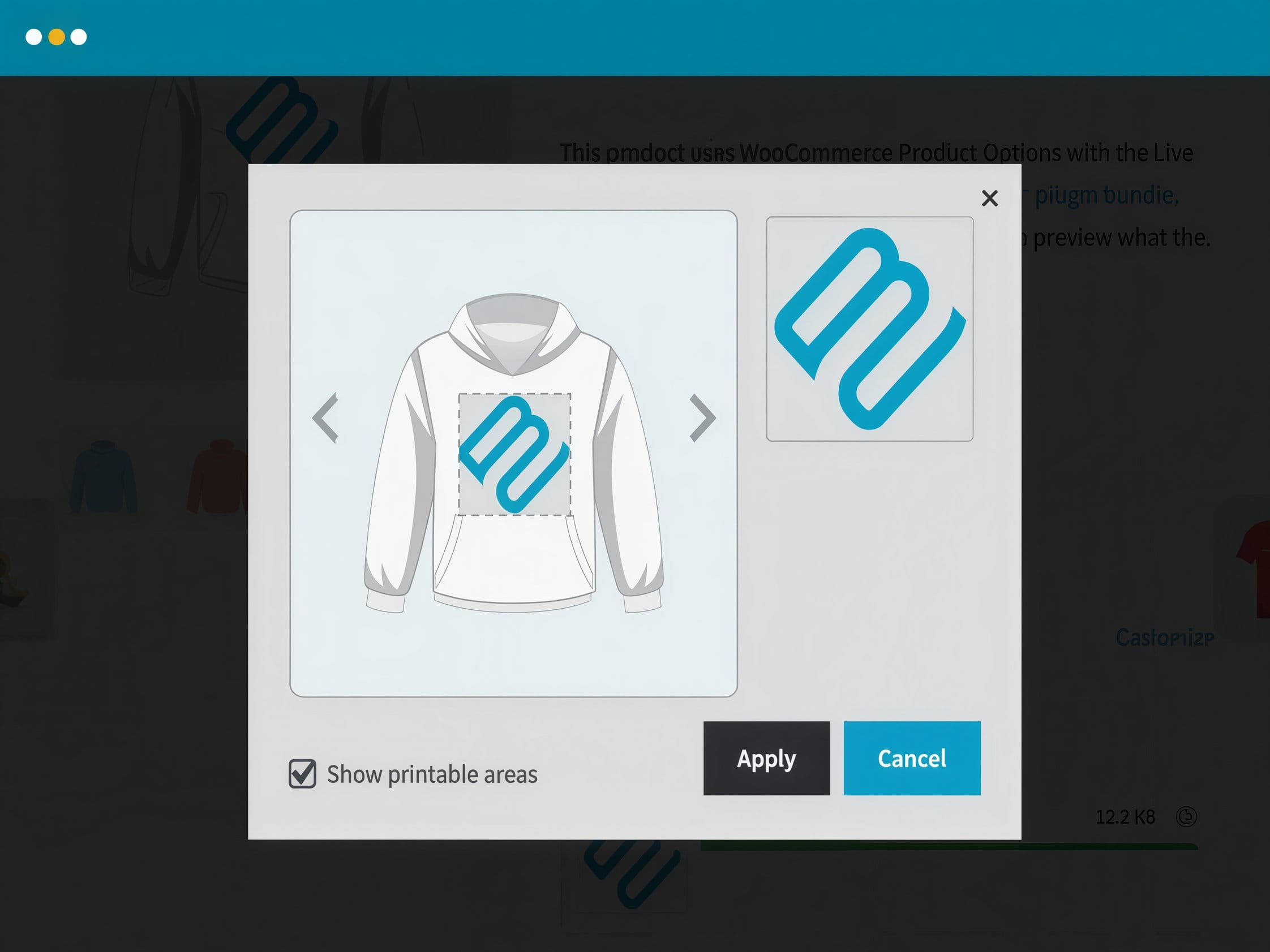
WooCommerce Live Preview: live product preview as you select options
WooCommerce Live Preview is a plugin designed to show the customer the effect of product configuration before adding it to the cart. In practice, this means a dynamic preview of changes resulting from selecting variations, additional options, or personalization fields, without needing to navigate between multiple pages. This mechanism is most valuable in stores where the appearance or composition of an order changes depending on the user’s choices.
In a typical scenario, the product stops being a static card with a description and gallery and becomes an interactive purchase form. The customer selects a color, material, size, or personalization content and immediately sees the result on screen, which shortens the path to a decision and reduces the risk of misunderstandings after placing an order. This is especially important where the product description alone is not enough to assess the final result.
Where this mechanism provides a real advantage
WooCommerce Live Preview delivers the greatest value in stores selling personalized, customizable products or those available in many visual variations. This includes printed apparel, promotional merchandise, engraved items, furniture with different finishes, and gift sets where several choices affect the final appearance of the offer. The live preview reduces uncertainty on the buyer’s side, because the decision is based on a concrete image rather than solely on an attribute description.
From an implementation standpoint, it is also a way to streamline complex product forms. Instead of splitting the presentation across multiple separate pages or preparing dozens of manually described combinations, the store can base the purchase process on a single product view where the visual layer reacts to the customer’s choices. As a result, the product configurator in WooCommerce becomes more intuitive on both desktop and mobile devices.
In practice, what matters is not just the concept of a preview, but how such a module behaves in everyday shopping scenarios. The following elements show which features are important when selling simple, variable, and personalization-based products.
- Product image update: changing the selected color, material, or other attribute can immediately affect the product view without reloading the entire page.
- Personalization field support: entered text, a number, a name, or any other individual element can be displayed in the preview before confirming the purchase.
- Integration with WooCommerce variations: product variations can serve as a data source for the preview, making it easier to show differences between combinations in a single interface.
- Product add-on presentation: additional set elements or paid extensions can change not only the price but also the way the final configuration is presented.
- Real-time response: the customer maintains the shopping context and can test several combinations in a row without breaking the process into separate steps.
- Visual confirmation of selection: the preview reduces the number of orders where the buyer’s expectations do not match what was actually configured.
Importance for stores with personalization and complex variations
WooCommerce Live Preview does not replace WooCommerce’s sales logic but rather strengthens the product presentation layer. This makes it a good complement for stores that already work with attributes, variations, and additional options but want to display their effects in a more readable way. It is a solution that is especially useful where several seemingly minor decisions make up the final product and only their sum matters to the customer.
From a technical perspective, it is important that the preview module uses data already existing in the WooCommerce product model, such as images, variations, field values, and add-ons that affect the configuration. For the administrator, this means less need to build separate presentations for each combination, and for the buyer, a more predictable shopping interface. WooCommerce Live Preview therefore makes the most sense in stores where the purchase decision depends on what the customer sees on screen, not just on a list of parameters and the price.