
Showing 1–12 of 48 resultsSorted by popularity
Show 1 – 15 from 48 found
Show all 48 found
Show one found
No items found
Developer
Sort by Popularity
On sale
Download CSV
15 per page
Add selected () for 0,00 $
Add selected () for 0,00 $
Add selected to cart
Select all
Clear selection
Filters
Sort
Reset
Apply
Name | Price | Add to cart | Delete | ||||||||||||||||||||||||||||||||||||||||||||||||||||||||||||||||||||||||||||||||||||||||||||||||
|---|---|---|---|---|---|---|---|---|---|---|---|---|---|---|---|---|---|---|---|---|---|---|---|---|---|---|---|---|---|---|---|---|---|---|---|---|---|---|---|---|---|---|---|---|---|---|---|---|---|---|---|---|---|---|---|---|---|---|---|---|---|---|---|---|---|---|---|---|---|---|---|---|---|---|---|---|---|---|---|---|---|---|---|---|---|---|---|---|---|---|---|---|---|---|---|---|---|---|---|
 | 3,00 $ | ||||||||||||||||||||||||||||||||||||||||||||||||||||||||||||||||||||||||||||||||||||||||||||||||||
wpDiscuz – User & Comment Mentioning
Enhance comment engagement by enabling the ability to mention users and specific comments using @username and #comment-id formats. Featuring a dynamic user search tool, this addon simplifies the process of tagging registered users or guests… Show more (+)
wpDiscuz – User & Comment Mentioning
Enhance comment engagement by enabling the ability to mention users and specific comments using @username and #comment-id formats. Featuring a dynamic user search tool, this addon simplifies the process of tagging registered users or guests directly within comment content.
Comment IDs are clearly displayed for quick reference, allowing easy integration of comment mentions. When users or comment IDs are tagged, the system transforms them into clickable links that open informative pop-up windows on hover—displaying user profiles or comment details, complete with avatars and metadata.
Main Features
Autocomplete user search when typing @ followed by a username in the comment field.
Comment authors and tagged users are notified through email when mentioned.
Interactive links for @username and #comment-id that open tooltips with additional information.
Clicking on @username redirects to the user's profile page, while clicking on #comment-id jumps to the referenced comment.
A small ID button is added to each comment, simplifying the process of copying and using the comment’s ID for mentions.
Customization Options
Toggle individual features or components directly from the settings panel.
Modify email templates for both user and comment mentions through the backend interface.
Enable or disable email notifications as needed.
Installation
Upload and install via the WordPress admin panel: Dashboard > Plugins > Add New.
Activate the addon and proceed to: Dashboard > wpDiscuz > Settings > Addons Tab > User & Comment Mentioning.
Input the license key received after purchase to finalize activation.
Alternatively, extract and upload the folder manually to the /wp-content/plugins/ directory using an FTP client. Then activate from the Plugins menu in WordPress.
Show less (-)
| |||||||||||||||||||||||||||||||||||||||||||||||||||||||||||||||||||||||||||||||||||||||||||||||||||
 | 3,00 $ | ||||||||||||||||||||||||||||||||||||||||||||||||||||||||||||||||||||||||||||||||||||||||||||||||||
wpDiscuz – Report and Flagging
This powerful addon enhances the comment management system by introducing an advanced flagging and reporting feature. Designed to streamline moderation, it leverages community input to automatically filter out inappropriate content based on user interaction. Comments that… Show more (+)
wpDiscuz – Report and Flagging
This powerful addon enhances the comment management system by introducing an advanced flagging and reporting feature. Designed to streamline moderation, it leverages community input to automatically filter out inappropriate content based on user interaction. Comments that accumulate a specified number of flags or negative reactions can be automatically hidden or removed, minimizing manual oversight. The tool also enables users to report specific issues with comments through a customizable form.
Key Features
Interactive flag button available on all comments, with two operational modes
Standard flagging or advanced reporting with category selection and message input
Customizable pop-up form for reporting inappropriate comments
Two automated moderation actions: mark as unapproved or move to trash
Threshold-based moderation triggered by flags or negative votes
Email alerts for new reports and auto-moderated content
Dedicated settings to define recipient for email notifications
Customizable email subject lines and message content
Control guest access for comment flagging and reporting
Manage list of reporting categories for user selection
Built-in fields for quick translation of front-end text
Installation and Setup
Installation follows the standard WordPress plugin process. After purchase, access to the plugin package is available through the user account. Once downloaded, the plugin can be uploaded and activated via the WordPress admin panel.
To configure, navigate to Dashboard > wpDiscuz > Settings > Addons Tab > Report & Flagging. Enter the license key provided upon purchase to complete activation.
If needed, manual installation is also supported. Extract the plugin archive and upload the /wpdiscuz-report-flagging/ directory to /wp-content/plugins/ using an FTP client. Ensure correct folder structure before proceeding to activate the plugin from the WordPress dashboard. Show less (-)
| |||||||||||||||||||||||||||||||||||||||||||||||||||||||||||||||||||||||||||||||||||||||||||||||||||
 | 3,00 $ | ||||||||||||||||||||||||||||||||||||||||||||||||||||||||||||||||||||||||||||||||||||||||||||||||||
wpDiscuz – Frontend Moderation
wpDiscuz Frontend Moderation is a versatile and user-friendly extension designed to streamline comment management directly from the frontend. It offers comprehensive tools for handling comment moderation tasks efficiently, enhancing the workflow for administrators and site users alike.
Key… Show more (+)
wpDiscuz – Frontend Moderation
wpDiscuz Frontend Moderation is a versatile and user-friendly extension designed to streamline comment management directly from the frontend. It offers comprehensive tools for handling comment moderation tasks efficiently, enhancing the workflow for administrators and site users alike.
Key Features
Approve pending comments directly on the frontend.
Revert auto-approved comments that do not meet moderation standards.
Mark inappropriate comments as spam with a single click.
Send custom email messages to commenters through a pop-up form with subject and message fields.
Relocate comments to different posts using a smart search-enabled pop-up interface.
Add users to the comment blacklist, integrating with the native WordPress discussion settings.
Move comments to trash or delete them permanently from the frontend interface.
Enable registered users to remove their own comments within the defined editing timeframe.
Customization Options
Frontend labels and messages are fully editable from the addon’s settings section. Visual elements such as menu colors and backgrounds can be customized to align with the site's design.
Installation Steps
Download the plugin package after completing the checkout process.
Extract the contents and upload the /wpdiscuz-frontend-moderation/ folder to the /wp-content/plugins/ directory using any FTP client.
Ensure the plugin directory structure is correct to avoid nested folders.
Navigate to Dashboard > Plugins > Add New and activate the plugin.
Go to Dashboard > wpDiscuz > Settings > Addons Tab > Front-end Moderation subTab to begin setup.
Insert the provided license key to enable full access.
Boost comment moderation efficiency with a simple yet powerful frontend interface. Show less (-)
| |||||||||||||||||||||||||||||||||||||||||||||||||||||||||||||||||||||||||||||||||||||||||||||||||||
 | 3,00 $ | ||||||||||||||||||||||||||||||||||||||||||||||||||||||||||||||||||||||||||||||||||||||||||||||||||
Popup Maker – Advanced Targeting Conditions
Popup Maker – Advanced Targeting Conditions is an advanced extension for the Popup Maker plugin that significantly improves targeting precision. It enables popups to be displayed based on a wide range of conditions, helping deliver… Show more (+)
Popup Maker – Advanced Targeting Conditions
Popup Maker – Advanced Targeting Conditions is an advanced extension for the Popup Maker plugin that significantly improves targeting precision. It enables popups to be displayed based on a wide range of conditions, helping deliver more relevant and personalized content to site visitors.
Highlighted Features:
Flexible Condition Builder for Complex Targeting Logic
Target Specific Pages, Posts, and Custom Content
Responsive Targeting for Mobile and Desktop Devices
User Role Detection for Tailored Popup Delivery
Location-Based Rules with Geolocation Support
Display Popups by Specific Times and Dates
Referral Source Matching for Campaign Optimization
Browser Detection for Enhanced Compatibility
Conditions Based on User Login State
Cookie-Driven Display Logic
Target Custom Post Types and Associated Taxonomies
URL Parameter-Based Popup Triggers
Trigger Rules Based on Time Spent and Page Activity
Seamless Integration with eCommerce Plugins
Multilingual Compatibility for Global Reach
Works with Leading Themes and Page Builders
Comprehensive Setup Guides and Documentation
Adheres to GDPR Standards
Includes Developer Hooks and Filters for Customization
Leverages AJAX for Dynamic Condition Handling
Straightforward Setup and Configuration Process
Built for Scalability and Expansion
Show less (-)
| |||||||||||||||||||||||||||||||||||||||||||||||||||||||||||||||||||||||||||||||||||||||||||||||||||
 | 3,00 $ | ||||||||||||||||||||||||||||||||||||||||||||||||||||||||||||||||||||||||||||||||||||||||||||||||||
WPC Linked Variation for WooCommerce Premium
WPC Linked Variation is a powerful extension designed to streamline product grouping in WooCommerce stores. It enables linking various product types using shared attributes while keeping them as individual listings. All related items are presented… Show more (+)
WPC Linked Variation for WooCommerce Premium
WPC Linked Variation is a powerful extension designed to streamline product grouping in WooCommerce stores. It enables linking various product types using shared attributes while keeping them as individual listings. All related items are presented with stylish swatches, mirroring the appearance of standard variable product variations.
One standout functionality is the ability to link diverse product types together. Whether it's Product Bundles, Smart Grouped Products, or Composite Products, this plugin allows them to be grouped under unified attributes. There’s no need for complicated setup—just define the attributes and terms, then adjust the swatch display accordingly.
For those who have struggled with limited customization options at the variation level, this tool offers a seamless solution. It bridges the gap between high-level plugins and product-specific configuration, making it easier to manage and display grouped products clearly and efficiently.
WPC Linked Variation also includes built-in support for the Quick View feature from the WPC Smart Quick View plugin, enabling shoppers to preview items directly from the product page. This contributes to a smoother browsing experience and keeps customer engagement high.
Key Features
Customizable display position for linked variations on product pages
Modern swatches layout for grouped variations
Shortcode support for placing linked variations anywhere on the site
Option to open products in a new tab, same tab, or Quick View popup
Fully translatable for multilingual site compatibility
Includes integration with WPC Smart Quick View functionality
Broad compatibility with most WooCommerce plugins and themes
Link products using Categories, Tags, or Attributes
Show less (-)
| |||||||||||||||||||||||||||||||||||||||||||||||||||||||||||||||||||||||||||||||||||||||||||||||||||
 | 3,00 $ | ||||||||||||||||||||||||||||||||||||||||||||||||||||||||||||||||||||||||||||||||||||||||||||||||||
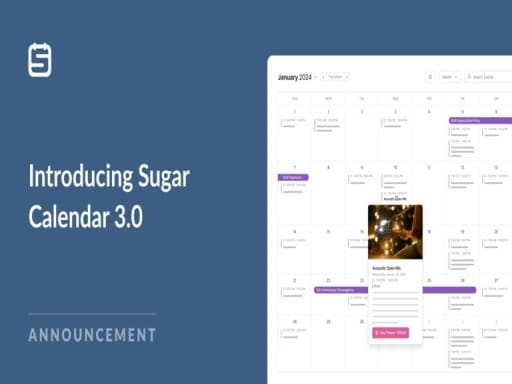
A streamlined event calendar plugin for WordPress
Sugar Calendar stands out by striking the perfect balance between simplicity and functionality. It avoids the common pitfalls of being overly basic or excessively complex, offering just what’s essential for managing events effectively and… Show more (+)
A streamlined event calendar plugin for WordPress
Sugar Calendar stands out by striking the perfect balance between simplicity and functionality. It avoids the common pitfalls of being overly basic or excessively complex, offering just what’s essential for managing events effectively and efficiently.
Essential features that deliver results
Designed with clarity and usability in mind, Sugar Calendar delivers dependable and robust tools for organizing events with ease.
Event Scheduling: Focused on the key elements of event organization, Sugar Calendar provides the right tools to schedule and manage events with clarity.
Repeating Events: Configure events to repeat automatically on a daily, weekly, monthly, or yearly basis, with flexible settings to suit specific needs.
Ticket Sales Integration: Enable ticket purchasing for events via Stripe or WooCommerce, adding a commercial aspect to event management with minimal effort.
Connect with Zapier: Link Sugar Calendar to over 7,000 applications using Zapier to automate workflows and simplify event-related processes.
Organize with Categories: Group events using categories for better organization and the ability to display filtered calendar views.
Flexible Display Options: Showcase events in list format or within calendar views using dedicated WordPress or Elementor blocks.
Google Maps Support: Include a map with each event location so attendees can easily find where events are taking place.
Calendar Subscriptions: Allow users to subscribe to event calendars and sync them with their personal scheduling tools.
Effortless event planning
Sugar Calendar removes unnecessary clutter and focuses on an intuitive, minimal interface that makes creating and managing events simple. Managing events in WordPress becomes a smooth and enjoyable experience.
Quickly create new events with custom durations and recurrence patterns.
Enable additional options such as ticketing and map locations with a few clicks.
Group events into specific calendars and switch between multiple viewing formats like monthly, weekly, daily, or list view.
Versatile for any occasion
Adaptable to a wide range of websites and purposes, Sugar Calendar brings structure and convenience to organizing both physical and virtual events.
Perfect for: webinars, parties, screenings, exhibitions, open mic nights, sports events, and much more.
Event spaces: Easily manage concerts, film nights, art shows, or other venue-based activities.
Faith-based organizations: Schedule services, meetings, and volunteer coordination with simplicity.
Government and civic institutions: Promote community events with searchable and browsable calendars.
Virtual gatherings: Host and coordinate live-streams, remote seminars, or community meetups online.
Local commerce: Announce store events or promotional days to drive foot traffic and customer engagement.
Community groups: Foster engagement and growth through meaningful event organization tailored to shared interests.
Show less (-)
| |||||||||||||||||||||||||||||||||||||||||||||||||||||||||||||||||||||||||||||||||||||||||||||||||||
 | 3,00 $ | ||||||||||||||||||||||||||||||||||||||||||||||||||||||||||||||||||||||||||||||||||||||||||||||||||
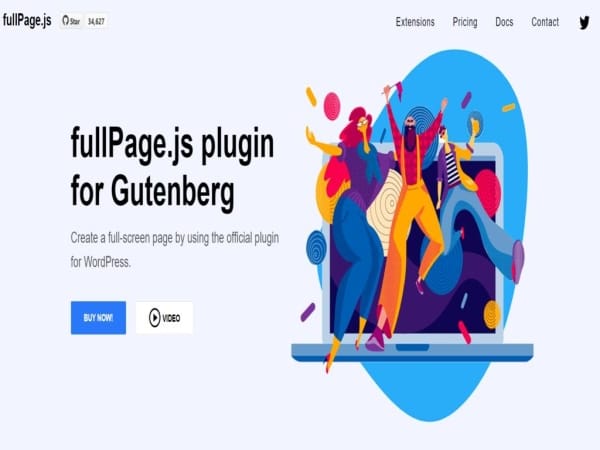
fullPage.js plugin for Gutenberg
Create immersive full-page scrolling experiences using the powerful vertical and horizontal slider plugin designed specifically for Gutenberg and WordPress. Achieve smooth scroll snapping and modern transitions with ease.
Optimized for Gutenberg
Integrates seamlessly with Gutenberg, combining intuitive drag-and-drop features… Show more (+)
fullPage.js plugin for Gutenberg
Create immersive full-page scrolling experiences using the powerful vertical and horizontal slider plugin designed specifically for Gutenberg and WordPress. Achieve smooth scroll snapping and modern transitions with ease.
Optimized for Gutenberg
Integrates seamlessly with Gutenberg, combining intuitive drag-and-drop features, pixel-accurate layout control, and responsive design tools suitable for developers and designers alike.
Highly Configurable
More than just fullscreen sections — gain access to over 50 customization options to fine-tune every aspect of the scrolling behavior and layout to match any creative vision.
Advanced Section Navigation
Create a striking visual flow by snapping to each section with vertical or horizontal sliders. Enable full-screen transitions that capture user attention and enhance content presentation.
Universal Compatibility
Designed to work flawlessly across all themes and major browsers, offering a versatile enhancement to existing workflows without interfering with other tools or plugins.
Flexible Scroll Directions
Choose between vertical, horizontal, or multidirectional scroll paths. Full control over navigation style allows tailored user journeys through the site content.
Horizontal Scroll Mode
Quickly build horizontal full-screen layouts. For additional control, an optional extension allows scrolling horizontally via mouse wheel navigation.
Dynamic Scrollable Sections
Never worry about content overflow. Sections adapt by enabling internal scrolling, ensuring accessibility and smooth navigation on all screen sizes.
Optional Scroll Bar
Enable a visible scrollbar while maintaining the scroll snap functionality. Ideal for users who prefer direct navigation control within the page.
Looped Scrolling
Keep visitors engaged with endless vertical navigation. Perfect for enhancing user retention and creating seamless browsing experiences.
Inner Scroll Zones
Define internal scrollable elements that don’t interfere with overall page navigation — ideal for embedded sliders, modals, or complex layouts within sections.
Responsive Adjustments
Customize the scroll behavior for smaller screens by disabling snap effects when needed. Maintain a user-friendly experience across all devices. Show less (-)
| |||||||||||||||||||||||||||||||||||||||||||||||||||||||||||||||||||||||||||||||||||||||||||||||||||
 | 3,00 $ | ||||||||||||||||||||||||||||||||||||||||||||||||||||||||||||||||||||||||||||||||||||||||||||||||||
The WPForms Save and Resume plugin is a premium WordPress form add-on that allows users to save their progress and conveniently complete their form later. This solution is especially useful for long, multi-page forms, such as recruitment, job offers, B2B… Show more (+)
The WPForms Save and Resume plugin is a premium WordPress form add-on that allows users to save their progress and conveniently complete their form later. This solution is especially useful for long, multi-page forms, such as recruitment, job offers, B2B, or educational forms. This improves the user experience and increases completion rates without the need for complex website changes.
WPForms Save and Resume: Greater Convenience and Higher Form Completion Rates
The add-on works directly within the WPForms builder: simply enable the save and resume feature, personalize the message content, and choose whether to display a resume link or send it via email after saving. Each completed attempt generates a unique link that returns respondents to the exact point where they left off. This eliminates the need to start over and reduces the frustration of complex fields and steps.
The solution supports best practices for minimizing frustration: field validation is forced only upon final submission, allowing you to save a draft even if not all fields are ready. As a result, saving form progress significantly lowers the entry threshold for those collecting materials, documents, or data in multiple rounds.
Applications in business and organizations
The form resuming feature has practical applications in situations where respondents need time to complete their information. The list below illustrates typical implementation scenarios, each of which benefits from improved user experience and a predictable data collection process.
Applications and submissions: recruitment, scholarships, grants, partnership programs.
B2B orders and project briefs: extensive quote and estimate forms.
Research surveys and audits: questionnaires completed in stages.
Training and course registrations: participant details, date preferences, documents.
Service and warranty forms: requests requiring serial numbers and descriptions.
This allows the conversion team to receive more complete data, and users can work at their own pace. WPForms Save and Resume also facilitates collaborative work: the resume link can be copied and forwarded to the person who will complete the form, for example, in the accounting or technical department.
How Saving and Resuming Works Step by Step
After enabling this option in the form settings, a button appears encouraging users to save. Users can copy an instant resuming link or provide an email address to which a secure email with a link will be sent. Upon returning via a unique link, the form restores the saved draft response, including multi-page fields. The administrator can influence the wording of labels and messages, ensuring that the content remains consistent with the brand's tone and GDPR information requirements.
This functionality is designed with real user constraints in mind: interruptions due to work, connection loss, or the need to gather attachments. As a result, fewer people abandon the process, and those who do return complete their submissions faster. This is a practical way to improve lead quality and make data management easier for sales, recruiting, and administration teams.
Key Features and Parameters: WPForms Save and Resume
This premium add-on provides a set of tools that focus on ease of implementation and secure access to saved drafts. The following list organizes key elements useful for assessing compliance with the project and WordPress environment requirements.
Solution type: Premium add-on for WPForms, activated from the form settings.
Resume mechanism: a unique link that restores the draft response to the point of saving.
Link delivery method: display for copying and/or sending via email.
Customization: edit button labels, messages, and content after saving.
Multi-page form support: full compatibility with WPForms pagination.
Validation on finalization: ability to save the draft without filling in all fields.
Compatibility with WPForms conditional logic: works with hiding and showing fields.
WPForms security integration: compatible with honeypot and reCAPTCHA.
Accessibility and responsiveness: works correctly on Mobile and desktop devices.
Requirements: Active paid WPForms plugin that supports Premium add-ons.
Language and localization: Ability to translate and adapt to GDPR requirements in the information layer.
This set of features makes it easier to tailor the experience to user expectations: the brand determines the tone of communication, and the design team can focus on data flow and conversion optimization instead of Show less (-)
| |||||||||||||||||||||||||||||||||||||||||||||||||||||||||||||||||||||||||||||||||||||||||||||||||||
 | 3,00 $ | ||||||||||||||||||||||||||||||||||||||||||||||||||||||||||||||||||||||||||||||||||||||||||||||||||
WooCommerce Private Store & Website
WooCommerce Private Store & Website provides a complete solution for restricting access to your online content. It allows full control over who can view the website, store, or selected products, categories, pages, posts, and tags, ensuring… Show more (+)
WooCommerce Private Store & Website
WooCommerce Private Store & Website provides a complete solution for restricting access to your online content. It allows full control over who can view the website, store, or selected products, categories, pages, posts, and tags, ensuring that only registered users can access restricted areas.
Main Capabilities
Restrict access to the entire website, store section, or selected products and pages.
Limit visibility of content to logged-in users only.
Enable or disable user registration as needed.
Approve new user accounts automatically or review them manually before granting access.
Choose custom redirection options for visitors trying to access private content.
Use built-in or custom login/registration forms with tailored titles, logos, and text.
Add background images or videos to custom login/registration pages.
Manually create new accounts from the admin panel.
Decide whether private pages can be indexed by search engines.
Flexible Access Control
The plugin allows configuration of privacy rules for different site areas, making it ideal for closed membership communities or private shops. Visitors who attempt to view restricted sections can be redirected to a chosen URL, the My Account page, or a personalized login/signup form.
Customizable User Experience
With WooCommerce Private Store & Website, login and registration pages can be fully customized. Background images or videos can be added, and the form title, logo, and text can be adjusted to match the website’s branding. Notifications and messages about account status can be displayed to users, ensuring a smooth and controlled onboarding process. Show less (-)
| |||||||||||||||||||||||||||||||||||||||||||||||||||||||||||||||||||||||||||||||||||||||||||||||||||
 | 3,00 $ | ||||||||||||||||||||||||||||||||||||||||||||||||||||||||||||||||||||||||||||||||||||||||||||||||||
Community
User-Submitted Events for WordPress
Integrate an event submission form into your website that allows visitors to contribute their own events to the calendar. Combine it with Event Tickets Plus to enable users to create and sell tickets for the events they… Show more (+)
Community
User-Submitted Events for WordPress
Integrate an event submission form into your website that allows visitors to contribute their own events to the calendar. Combine it with Event Tickets Plus to enable users to create and sell tickets for the events they share.
Curate events from your community
Allow community members to add their events while maintaining complete control over what appears on the calendar.
Build an engaging community calendar
Encourage user participation: Visitors can submit event details directly through a simple form—eliminating the need for manual entry.
Control publishing: Decide whether submitted events appear immediately or require approval before going live.
Flexible user options: Permit anonymous submissions or require users to register before posting.
Ticketing integration: Event creators can sell tickets for their listings directly on the site.
Revenue opportunities: Apply fees per ticket, per event, or per sale, and choose to include or display them separately.
Payment sharing: Distribute ticket sales revenue between the site owner and event organizers automatically during purchase.
Venue and organizer settings: Restrict submissions to existing venues and organizers or allow new ones to be added.
Spam defense: Protect the submission process with reCAPTCHA.
Email alerts: Get notified whenever a new event is submitted.
Show less (-)
| |||||||||||||||||||||||||||||||||||||||||||||||||||||||||||||||||||||||||||||||||||||||||||||||||||
 | 3,00 $ | ||||||||||||||||||||||||||||||||||||||||||||||||||||||||||||||||||||||||||||||||||||||||||||||||||
Cookie Banner and Consent Management for WordPress – effortless legal compliance
Ensure compliance with GDPR and the ePrivacy Directive by managing consents effectively. Detect services, cookies, and other elements, then display the required legal details directly within a customizable cookie banner… Show more (+)
Cookie Banner and Consent Management for WordPress – effortless legal compliance
Ensure compliance with GDPR and the ePrivacy Directive by managing consents effectively. Detect services, cookies, and other elements, then display the required legal details directly within a customizable cookie banner. Real Cookie Banner provides much more than a simple cookie notice, offering a streamlined solution built for WordPress websites.
Main Features of Real Cookie Banner
Real Cookie Banner is a powerful tool for consent management. It enables the collection of valid permissions to use services and set cookies according to European regulations. Additionally, integrated content blockers guarantee compliance even when third-party themes, plugins, or embedded content attempt to load scripts, styles, or external resources that may involve personal data.
Consent Management
Maintain complete technical and legal records for all services and cookies to ensure transparent consents. Access a wide library of 160+ service templates and 130+ content blocker templates, helping you to provide all required information quickly and reliably.
Content Blocker
Many themes and plugins load scripts or media before visitors have granted permission. With content blockers, these elements are executed only after consent is obtained, preventing unauthorized tracking or data transfer.
Design Customization
Tailor the appearance of the cookie banner using 20+ design templates and over 200 configuration options. Adjust colors, effects, and text to match your site’s branding. A live preview makes customization intuitive and straightforward.
Guided Setup
A built-in checklist leads through each step of the configuration process to ensure a legally aligned setup. Explanations of legal aspects and the implications of different settings provide clarity and security during configuration.
Consent Records
GDPR requires proof that consent was granted if it is ever disputed. Real Cookie Banner stores comprehensive records, including a reproduction of the banner as it appeared at the moment of consent, ensuring verifiable documentation.
WordPress Integration
Designed specifically for WordPress, Real Cookie Banner integrates seamlessly into the dashboard. All data is processed and stored locally on the server, avoiding reliance on external cloud services and minimizing additional compliance risks. Show less (-)
| |||||||||||||||||||||||||||||||||||||||||||||||||||||||||||||||||||||||||||||||||||||||||||||||||||
 | 3,00 $ | ||||||||||||||||||||||||||||||||||||||||||||||||||||||||||||||||||||||||||||||||||||||||||||||||||
Media Cleaner
Media Cleaner is a versatile plugin designed to streamline the WordPress media library by eliminating unused files and repairing faulty entries. It includes an internal trash system, allowing all changes to be reviewed and confirmed before permanent removal. Intelligent… Show more (+)
Media Cleaner
Media Cleaner is a versatile plugin designed to streamline the WordPress media library by eliminating unused files and repairing faulty entries. It includes an internal trash system, allowing all changes to be reviewed and confirmed before permanent removal. Intelligent scanning ensures smooth operation with various themes and plugins.
When paired with Database Cleaner, it delivers an even more complete optimization process.
Think of Media Cleaner as a silent operator for the Media Library, removing unnecessary items and fixing inconsistencies that slow down performance. A proper backup strategy is recommended before running a full cleanup.
Compatibility
Compatible with every media type, including WebP and retina formats. Extensively tested across different WordPress releases, including those with Gutenberg editor, and a wide selection of themes used by large communities. WooCommerce support is included. For more advanced plugin setups handling dynamic content, the Pro version ensures extended compatibility. Work is continuously ongoing to broaden integrations with additional plugins.
Pro Version
Media Cleaner Pro expands on the core features with advanced tools:
Filesystem Analysis: Examines the physical /uploads folder and compares it against the WordPress Media Library.
Extended Plugin Support: Enhanced integration with complex systems such as ACF, Metabox, Divi Builder, Fusion Builder (Avada), WPBakery Page Builder, Visual Composer, Elementor, Beaver Builder, Brizy Builder, Oxygen Builder, Slider Revolution, Justified Image Grid, Avia Framework, and more.
Live Site Scan: Reviews the front-facing website to boost detection accuracy in specific scenarios.
WP-CLI Integration: Enables faster execution and automation directly through server-level access.
Show less (-)
| |||||||||||||||||||||||||||||||||||||||||||||||||||||||||||||||||||||||||||||||||||||||||||||||||||
 | 3,00 $ | ||||||||||||||||||||||||||||||||||||||||||||||||||||||||||||||||||||||||||||||||||||||||||||||||||
Connect WordPress Forms with Slack
Slack Addon for WPForms
Integrate WordPress forms with Slack to simplify communication, speed up workflows, and keep teams connected.
Optimize Team Collaboration
Improve productivity and coordination with the Slack addon for WPForms. Used by millions of websites, this integration… Show more (+)
Connect WordPress Forms with Slack
Slack Addon for WPForms
Integrate WordPress forms with Slack to simplify communication, speed up workflows, and keep teams connected.
Optimize Team Collaboration
Improve productivity and coordination with the Slack addon for WPForms. Used by millions of websites, this integration makes managing form submissions effortless.
Instant Alerts: Get notified in Slack whenever a form is submitted.
Collaboration Tools: Share and assign tasks within Slack to handle inquiries faster.
Flexible Notifications: Direct messages to specific team members or chosen channels.
Productivity Gains: Manage responses from Slack without switching platforms.
Follow-Up Reminders: Automate reminders for pending responses.
Conditional Logic: Trigger notifications only when certain criteria are met.
Simple Setup: Connect WPForms to Slack with no coding required.
Notifications for Any Form Type
Contact Form Submissions
Lead Capture Alerts
Event Registration Updates
Customer Feedback Reports
Support Request Notifications
Job Application Tracking
Survey Response Alerts
Order Form Submissions
Appointment Scheduling Alerts
Newsletter Signup Updates
User Registration Notifications
Contest Entry Reports
Donation Form Tracking
Product Inquiry Notifications
Membership Application Updates
Quote Request Alerts
Show less (-)
| |||||||||||||||||||||||||||||||||||||||||||||||||||||||||||||||||||||||||||||||||||||||||||||||||||
 | 3,00 $ | ||||||||||||||||||||||||||||||||||||||||||||||||||||||||||||||||||||||||||||||||||||||||||||||||||
Flexible Quantity Calculator for WooCommerce
Enhance the shopping experience by enabling pricing calculations based on product dimensions directly on the product page. Define custom quantity thresholds for pricing and shipping, with full support for product variations.
Why choose Flexible Quantity Calculator for… Show more (+)
Flexible Quantity Calculator for WooCommerce
Enhance the shopping experience by enabling pricing calculations based on product dimensions directly on the product page. Define custom quantity thresholds for pricing and shipping, with full support for product variations.
Why choose Flexible Quantity Calculator for WooCommerce?
Dynamic price thresholds
Apply new pricing once specific quantity levels are reached.
Tiered pricing
Assign different rates depending on defined quantity ranges.
Shipping class rules
Automatically match products to shipping classes according to selected quantity.
Advanced measurement options
Calculate costs by area or volume with three-dimensional input support.
Interactive product page calculation
Allow buyers to enter their own values for instant pricing results.
Fixed dimension values
Lock certain dimensions to prevent changes by customers.
Feature overview
Discover the complete functionality of this measurement-based calculator for WooCommerce.
✅ Pricing increments with thresholds
✅ Dimension-based price calculation (length, width, height)
✅ Direct operation on WooCommerce product pages
Extended functionality
✅ Shipping class assignments connected to quantity
✅ Works seamlessly with product variations
✅ Set minimum and maximum purchase quantities
✅ Create custom measurement units for WooCommerce items
Integration and compatibility
✅ Integrated with the product stock field
✅ Compatible with Flexible Invoices plugin for PDF invoices with custom units
✅ Lightweight and user-friendly solution
✅ Works with Flexible Product Fields PRO WooCommerce
Show less (-)
| |||||||||||||||||||||||||||||||||||||||||||||||||||||||||||||||||||||||||||||||||||||||||||||||||||
 | 3,00 $ | ||||||||||||||||||||||||||||||||||||||||||||||||||||||||||||||||||||||||||||||||||||||||||||||||||
wpDiscuz – BuddyPress Integration
The wpDiscuz – BuddyPress Integration addon provides a seamless way to connect the wpDiscuz commenting system with the BuddyPress community platform. It enhances user interaction by synchronizing discussions, activities, profile tabs, and notification options within a unified… Show more (+)
wpDiscuz – BuddyPress Integration
The wpDiscuz – BuddyPress Integration addon provides a seamless way to connect the wpDiscuz commenting system with the BuddyPress community platform. It enhances user interaction by synchronizing discussions, activities, profile tabs, and notification options within a unified environment.
Notifications
Every key action in the comment area can trigger real-time alerts through the BuddyPress notification system. These notifications are available both on-site and by email, and can be managed individually. Supported events include:
Receiving votes on comments
Gaining new followers
Receiving post ratings
Comment approval
Replies to comments
New comments on posts
User mentions
New activity from followed users
A dedicated Notifications > Settings panel allows fine-tuning of preferences for each type of alert.
Profile Tabs
User activity related to comments is fully integrated into the BuddyPress profile system. A new Discussions tab is created with seven sub-sections:
Comments – List of all comments made by the user
Reactions – Comments liked or disliked by the user
Rates – Posts rated by the user
Subscriptions – Manage comment and post subscriptions with quick unsubscribe options
Votes – Comments that received positive or negative votes from others
Following – Accounts followed by the user with options to unfollow
Followers – Accounts that follow the user
Activity Stream
New comments, replies, likes, and dislikes automatically generate entries in the BuddyPress activity feed. These updates appear both on the global activity page and within the user’s own profile stream. A built-in importer tool also allows bringing older comment-related activities into the feed for a complete history.
Dashboard Settings
The addon includes a dedicated configuration panel, enabling full customization of behavior, phrases, and translations. All options are found in Dashboard > wpDiscuz > Settings > BuddyPress Integration tab.
Installation and Configuration
Installation follows the standard WordPress plugin process. After uploading and activating the addon via the Plugins menu, access the configuration area at Dashboard > wpDiscuz > Settings > Addons Tab > BuddyPress Integration. If necessary, the addon can also be installed manually by uploading it to the /wp-content/plugins/ directory using FTP and activating it in the WordPress dashboard. Show less (-)
| |||||||||||||||||||||||||||||||||||||||||||||||||||||||||||||||||||||||||||||||||||||||||||||||||||
Add selected () for 0,00 $
Add selected () for 0,00 $
Add selected to cart
Select all
Clear selection