
Showing all 12 resultsSorted by popularity
Tables and Data
Plugins for creating and managing data tables with sorting and filtering
Show 1 – 12 from 12 found
Show all 12 found
Show one found
No items found
Categories
Sort by Popularity
On sale
Download CSV
15 per page
Add selected () for 0,00 $
Add selected () for 0,00 $
Add selected to cart
Select all
Clear selection
Filters
Sort
Reset
Apply
Name | Price | Add to cart | Delete | ||||||||||||||||||||||||||||||||||||||||||||||||||||||||||||||||||||||||||||||||||||||||||||||||
|---|---|---|---|---|---|---|---|---|---|---|---|---|---|---|---|---|---|---|---|---|---|---|---|---|---|---|---|---|---|---|---|---|---|---|---|---|---|---|---|---|---|---|---|---|---|---|---|---|---|---|---|---|---|---|---|---|---|---|---|---|---|---|---|---|---|---|---|---|---|---|---|---|---|---|---|---|---|---|---|---|---|---|---|---|---|---|---|---|---|---|---|---|---|---|---|---|---|---|---|
 | 3,00 $ | ||||||||||||||||||||||||||||||||||||||||||||||||||||||||||||||||||||||||||||||||||||||||||||||||||
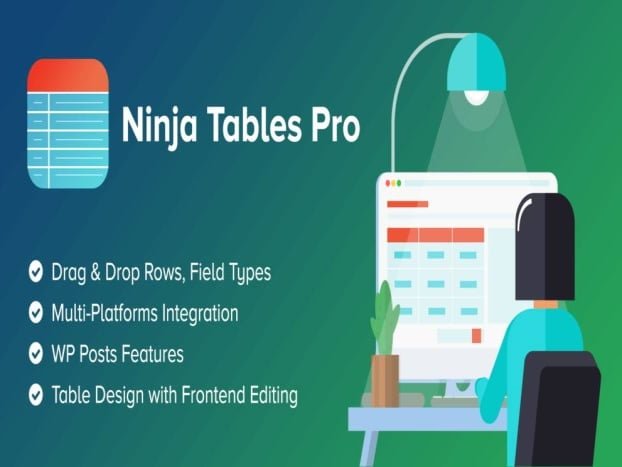
Ninja Tables Pro is the # 1 plugin for creating WordPress tables with a user-friendly layout, easy-to-use settings and an enticing interface. Build a table in comfort without any programming experience. Do what you want - create, edit, maintain and… Show more (+)
Ninja Tables Pro is the # 1 plugin for creating WordPress tables with a user-friendly layout, easy-to-use settings and an enticing interface. Build a table in comfort without any programming experience. Do what you want - create, edit, maintain and customize. Ninja Tables Pro is the best solution for creating tables for any purpose.The plug-in requires an additional base to be installed in order to work. Please read the plug-in documentation before installing. Show less (-)
| |||||||||||||||||||||||||||||||||||||||||||||||||||||||||||||||||||||||||||||||||||||||||||||||||||
 | 3,00 $ | ||||||||||||||||||||||||||||||||||||||||||||||||||||||||||||||||||||||||||||||||||||||||||||||||||
WpDataTables is the best-selling WordPress table plugin that makes it easy to work with tables, charts, and data management. More than 60,000 companies and individuals already trust wpDataTables to work with financial, scientific, statistical, commercial and other data.WpDataTables is a… Show more (+)
WpDataTables is the best-selling WordPress table plugin that makes it easy to work with tables, charts, and data management. More than 60,000 companies and individuals already trust wpDataTables to work with financial, scientific, statistical, commercial and other data.WpDataTables is a popular WordPress table plugin for quickly creating tables and table charts from Excel, CSV, XML, JSON, PHP, and other data sources. Use the WP table plugin to present massive amounts of complex data in a concise, user-friendly way using tables or charts.The main benefits that wpDataTables provides to its users are time savings (because it automates the display of data on the website and allows you to do it without investing time in coding) and no need to learn coding (creating a WordPress table like in wpDataTable would require development without it).The license is not active, some functions may not be available Show less (-)
| |||||||||||||||||||||||||||||||||||||||||||||||||||||||||||||||||||||||||||||||||||||||||||||||||||
 | 3,00 $ | ||||||||||||||||||||||||||||||||||||||||||||||||||||||||||||||||||||||||||||||||||||||||||||||||||
MORE FUNCTIONS THAN ANY OTHER WOOCOMMERCE TABLE PLUGThe most advanced product listing plugin on the market, WooCommerce Product Table comes with over 50 features.PRODUCTS WITH VARIANTSFull support for products with variants. Display them as drop-down lists or display one variant… Show more (+)
MORE FUNCTIONS THAN ANY OTHER WOOCOMMERCE TABLE PLUGThe most advanced product listing plugin on the market, WooCommerce Product Table comes with over 50 features.PRODUCTS WITH VARIANTSFull support for products with variants. Display them as drop-down lists or display one variant per line for a quick one-page order.FILTERS AND WIDGETSIt includes custom widgets for filtering by attribute, price, or rating. Or, add search filters above the table to filter by category, tag, taxonomy, or attribute.ADDITIVES FOR WOOCOMMERCE PRODUCTSFully integrated with the WooCommerce Product Add-Ons. View your add-ons next to the Add to Cart button.PRODUCT FEATURESFilter by product attribute using dropdowns or sidebar widgets. View attributes in the table and click to filter!CUSTOM AND TAXONOM SUPPORTView custom taxonomies, filter by custom terms, and create product listing tables with specific taxonomy terms.QUICK ADDING TO CARTCustomers can select quantities and add products directly to the cart or click to view the product page. This is the best one page WooCommerce order form!ADD MULTIPLE PRODUCTS AT ONCEShow checkboxes next to each product so customers can quickly select several products at once and add them to their cart in bulk in one click.PERFECT FOR ORDERS IN A RESTAURANTThe WooCommerce Product Table is especially popular for creating a one-page restaurant order form for online food ordering.ADVANCED CUSTOM FIELDSDisplay custom fields as columns in the product table. Fully integrated with Advanced Custom Fields (ACF). Add additional data, links, and more.LIST OF SPECIAL PRODUCTSCreate product listing tables based on their category, tag, ID, status, date or author. Exclude categories or individual products.SUPER FAST ORDERINGYour customers can order whatever they need in no time: great for wholesale, repeat, food, industrial, spare parts, trading or WooCommerce wholesale orders.FULLY RESPONSIVEOn mobile phones, columns are automatically “collapsed” and can be expanded to show data. You can choose which columns take priority using the WooCommerce product list plugin.INSTANT SEARCH, SORT AND FILTERINGEnter keywords and perform an instant search. Filter the products table or click a column header to sort.W 100% COMPATIBLE WITH WPMLThe WooCommerce product table is officially certified WPML compatible, perfect for your multilingual WordPress site. Show less (-)
| |||||||||||||||||||||||||||||||||||||||||||||||||||||||||||||||||||||||||||||||||||||||||||||||||||
 | 3,00 $ | ||||||||||||||||||||||||||||||||||||||||||||||||||||||||||||||||||||||||||||||||||||||||||||||||||
Are you looking for a plugin that will show your WooCommerce products in a table view that is easy to use? Then Woo Product Table Pro will be a good choice for you. It comes with an easy shortcode generator… Show more (+)
Are you looking for a plugin that will show your WooCommerce products in a table view that is easy to use? Then Woo Product Table Pro will be a good choice for you. It comes with an easy shortcode generator that requires no programming knowledge to customize. Perfect for wholesalers, product catalogs, order forms, restaurant orders and more. Fully responsive and mobile-friendly.
The plugin has predefined tables for several types of products, making it easier to create a table tailored to these types of products than with similar plugins. Show less (-)
| |||||||||||||||||||||||||||||||||||||||||||||||||||||||||||||||||||||||||||||||||||||||||||||||||||
 | 4,72 $ | ||||||||||||||||||||||||||||||||||||||||||||||||||||||||||||||||||||||||||||||||||||||||||||||||||
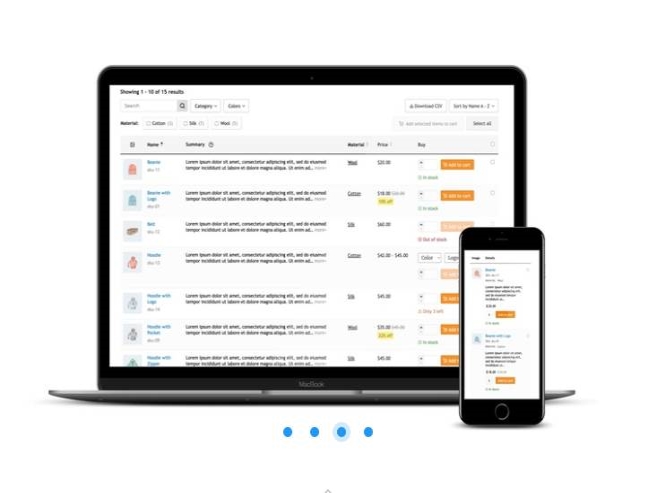
Increase your sales with the WCPT WooCommerce Product Table Pro pluginImproving sales in WooCommerce stores has never been so simple and effective! ? Used in over 10,000 WooCommerce stores and boasting a fantastic rating of 99% over five years, this… Show more (+)
Increase your sales with the WCPT WooCommerce Product Table Pro pluginImproving sales in WooCommerce stores has never been so simple and effective! ? Used in over 10,000 WooCommerce stores and boasting a fantastic rating of 99% over five years, this add-on is a secret weapon for anyone looking to improve their online store.A common obstacle in WooCommerce storesTypically, WooCommerce stores list products in a basic grid layout, which creates unnecessary shopping hurdles for customers for certain product categories ?. This is the default approach:Does not emphasize basic product features.Offers insufficient product search and filtering options.Provides troublesome and slowly adding to cart.But do not worry! The solution is to refresh this grid with a more user-friendly product list or table layout, enriched with features that make shopping much easier ?:A quick visual comparison products in the table.Improved product search tools.Smooth and fast shopping path.Choose a higher converting store displayUsing the following layouts can dramatically increase sales compared to a conventional store grid layout:Table: ideal for storing items requiring focus on key attributes such as spare parts, groceries, audio equipment and wholesale products.List: adapted to stores, emphasizing descriptions and photos of products, e.g. food and consumer electronics.Smart Grid: Create the perfect grid layout with the view switcher allowing grid or table layout visibility (additional plugin required).WooCommerce PRO product table featuresView product tables on the store page.Automatic calculation of product costs (price * quantity).Infinite scrolling for seamless product browsing.Variety selector integrated with the table.Bulk add to cart checkbox.Generate separate product tables for varieties.A sub-row where you can neatly present additional information about the product.Intelligent property layout for detailed product explanation.14 ready-to-use, aesthetic starter tables.Extensive demos of third-party integrationsWCPT PRO boasts the most extensive third-party plugin integration library in its category, allowing you to add additional functionality to your product table and enhance user experience.Yith Request a Quote: add a “request a quote” button for selected products, allowing customers to request a price.Wholesale Suite: offer exclusive discounts to wholesale customers and manage product visibility based on user roles.ADP Bulk Discount: a real alternative to the wholesale package, a free and usable version also available.WCFM Marketplace: Make it easier for multiple suppliers in your store and earn commission on sales.Name Your Price: Give customers the opportunity to determine the price of selected products.Product Addons: provide additional product options during the add-to-cart process.Waveplayer (audio): For audio stores, include the Waveplayer animation in your table.WPC Product Compare: Integrate a "Compare" button to compare products.Quick View: enter "quick view" button in product modal information popup. Show less (-)
| |||||||||||||||||||||||||||||||||||||||||||||||||||||||||||||||||||||||||||||||||||||||||||||||||||
 | 3,00 $ | ||||||||||||||||||||||||||||||||||||||||||||||||||||||||||||||||||||||||||||||||||||||||||||||||||
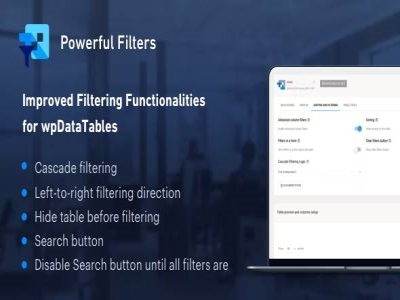
Powerful Filters for wpDataTables is a multi-functional wpDataTables add-on that greatly extends the default filtering features that wpDataTables provides for tables in WordPress. The addon will add some new features to wpDataTables:Cascading filtering - left to right (dependent) – thanks… Show more (+)
Powerful Filters for wpDataTables is a multi-functional wpDataTables add-on that greatly extends the default filtering features that wpDataTables provides for tables in WordPress. The addon will add some new features to wpDataTables:Cascading filtering - left to right (dependent) – thanks to this option, users will be able to select filter values in order from left to right, the list of options in each subsequent filter will be narrowed down by the previous one; each subsequent filter will be enabled only after a selection has been made in the previous one.Cascade Filtering – free (standalone) – this feature allows you to use Cascading Filters in WordPress Tables without limitation to define filter values always from left to right. Users can make a selection in any filter, which will narrow down the filters for all other columns. It is similarly implemented in popular spreadsheet tools (Excel, Google Spreadsheet, etc.)Hide the table from filtering – with this option you can only show the filters in the frontend and hide the table until a selection is made in the filter. This is extremely helpful when filters and tables are used to search large catalogs and viewing the full data set is not relevant to users. Note that filters must be rendered in an off-table form in order to use this feature.Search button – by default, searching and filtering works "live" in wpDataTables - i.e. each time you change any of the filters, the table updates with new filtering criteria. By using the search button feature, you can change this behavior and make the table apply filters only when the search button is clicked. This option requires the filters to be rendered in the form outside the table as well.Disable the search button until all filters are selected – if you enable this option, the search button will remain disabled until some options are selected in all available filters. This feature only works in conjunction with the "Search" button. Show less (-)
| |||||||||||||||||||||||||||||||||||||||||||||||||||||||||||||||||||||||||||||||||||||||||||||||||||
| 3,00 $ | ||||||||||||||||||||||||||||||||||||||||||||||||||||||||||||||||||||||||||||||||||||||||||||||||||
Master-Detail Tables is an add-on to WpDataTables that allows you and your site visitors to see the details of each row with one click. Many users today have tables with many columns and it looks ugly after placing this table… Show more (+)
Master-Detail Tables is an add-on to WpDataTables that allows you and your site visitors to see the details of each row with one click. Many users today have tables with many columns and it looks ugly after placing this table on their site, so they often have to hide some columns or edit the table altogether to fit the page. But what if you actually need all of those columns and data, and you can't hide anything because you want users to see all of your data? Don't worry, from now on you can have as many columns in the table as you need and you can hide them without worrying about the table users running out of some information. The Master-Detail Tables add-on allows you to show these hidden columns with one click and the table will always look nice. Show less (-)
| |||||||||||||||||||||||||||||||||||||||||||||||||||||||||||||||||||||||||||||||||||||||||||||||||||
 | 3,00 $ | ||||||||||||||||||||||||||||||||||||||||||||||||||||||||||||||||||||||||||||||||||||||||||||||||||
It allows you to create advanced and nice tables with prices. Go Pricing, WordPress Responsive Pricing Tables is a WordPress plugin distributed by Codecanyon. Go Pricing allows you to create pricing tables on your WordPress and WooCommerce site. The plugin… Show more (+)
It allows you to create advanced and nice tables with prices. Go Pricing, WordPress Responsive Pricing Tables is a WordPress plugin distributed by Codecanyon. Go Pricing allows you to create pricing tables on your WordPress and WooCommerce site. The plugin also supports various multimedia elements such as audio, video, image or map.THIS IS THE PLUGIN ONLY, THE PACK WITH 250 TEMPLATES IS NOT INCLUDED Show less (-)
| |||||||||||||||||||||||||||||||||||||||||||||||||||||||||||||||||||||||||||||||||||||||||||||||||||
 | 3,00 $ | ||||||||||||||||||||||||||||||||||||||||||||||||||||||||||||||||||||||||||||||||||||||||||||||||||
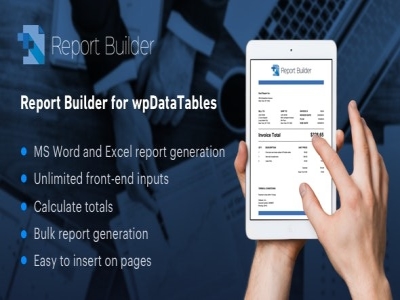
The Report Builder for wpDataTables plugin significantly extends the capabilities of wpDataTables, making it easy to create polished Word, DOCX, and Excel, XLSX reports directly from your data. This powerful extension offers a comprehensive set of features that will help… Show more (+)
The Report Builder for wpDataTables plugin significantly extends the capabilities of wpDataTables, making it easy to create polished Word, DOCX, and Excel, XLSX reports directly from your data. This powerful extension offers a comprehensive set of features that will help you effortlessly create engaging, customized documents.Main features of Report Builder for wpDataTables:Create dynamic reports in real timeCustom templates for DOCX and XLSX documentsDirect wpDataTables integrationFlexible Data Source CompatibilityIntuitive drag-and-drop builderEmbed rich text, images and multimediaAdvanced conditional styling for improved readabilityMultiple spreadsheets in Excel filesRobust sorting and filtering capabilitiesBuilt-in charts and interactive visualizationsFlexible document layouts and designsComplex calculations and formulas enabledMerge cells and group data to create a tidy layoutExcel formula implementationCustom document headers and footersEffective data refresh functionalityImproved document security with password protectionIndividual export settingsCustomizing the date and time formatCreating multilingual documentsImage and Watermark IntegrationAutomatic table of contents and referencesEasy metadata setupAdvanced document styling and formattingPreview document before exportScheduled automatic report generationSeamless integration with third-party solutionsMobile-friendly report designsComprehensive user documentationAnd many additional features!The Report Builder for wpDataTables plugin is an essential tool for transforming your data into visually appealing and completely professional documents. Use extensive customization tools to efficiently create documents that exactly meet your needs. Show less (-)
| |||||||||||||||||||||||||||||||||||||||||||||||||||||||||||||||||||||||||||||||||||||||||||||||||||
 | 3,00 $ | ||||||||||||||||||||||||||||||||||||||||||||||||||||||||||||||||||||||||||||||||||||||||||||||||||
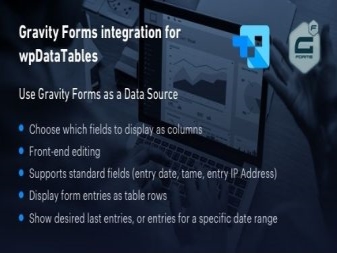
Gravity Forms Integration for wpDataTablesGravity Forms Integration for wpDataTables is a feature-rich plugin that enables a seamless connection between Gravity Forms and wpDataTables, streamlining data handling in WordPress. This integration provides users with advanced data management tools, making it easy… Show more (+)
Gravity Forms Integration for wpDataTablesGravity Forms Integration for wpDataTables is a feature-rich plugin that enables a seamless connection between Gravity Forms and wpDataTables, streamlining data handling in WordPress. This integration provides users with advanced data management tools, making it easy to organize, visualize, and analyze form submissions.Key Features:Gravity Forms ConnectivityHassle-free data synchronizationFlexible form field mappingImport and export capabilitiesReal-time data updatesSupport for custom data sourcesAutomatic generation of data tableAdvanced sorting and filteringPagination of large data setsDynamic Data Display OptionsMultiple export formatsMulti-language compatibilityData Summary and AggregationFormula based calculationsConditional Data RenderingCustom Data Table StylesSearch and column filteringDetailed query and reporting toolsInteractive data graphsPredefined table templatesFlexible table design customizationCustomizing the export formatGranular data access controlMulti-site compatibilityOptimized query performanceError Handling and ValidationRobust data security measuresData modification audit loggingGDPR Compliance FeaturesWidget support for Tables dataAutomatic data refreshEasy to use data mapping interfaceMapping relationships between data setsData transformation and processing toolsBackup and recovery optionsStep-by-step table creation wizardExpanded support for custom data sourcesInteractive data visualization widgetsData Analysis DashboardsComprehensive analysis and reportingCustom Field Data ImportAPI Integration for Data TablesAdvanced export managementMultidimensional data handlingOptimizing performance for big data SetsThe Gravity Forms integration for wpDataTables simplifies the process of managing and displaying Gravity Forms data in wpDataTables by offering a comprehensive set of tools for organizing, analyzing, and presenting data in WordPress. Show less (-)
| |||||||||||||||||||||||||||||||||||||||||||||||||||||||||||||||||||||||||||||||||||||||||||||||||||
 | 3,00 $ | ||||||||||||||||||||||||||||||||||||||||||||||||||||||||||||||||||||||||||||||||||||||||||||||||||
Add attractive pricing tables to your posts and pages. Show different product characteristics, then let visitors add the selected product to their cart using the Storefront Pricing Tables extension. Add attractive pricing tables to your websites. Pricing tables are an… Show more (+)
Add attractive pricing tables to your posts and pages. Show different product characteristics, then let visitors add the selected product to their cart using the Storefront Pricing Tables extension. Add attractive pricing tables to your websites. Pricing tables are an effective way to show the difference between a small number of products. Exchange features between different subscriptions or complex products, then give visitors the option to add the selected product to their cart via the Storefront Pricing Tables extension. Show less (-)
| |||||||||||||||||||||||||||||||||||||||||||||||||||||||||||||||||||||||||||||||||||||||||||||||||||
 | 3,00 $ | ||||||||||||||||||||||||||||||||||||||||||||||||||||||||||||||||||||||||||||||||||||||||||||||||||
Elfsight Pricing Table premium widget for WordPressPresent pricing options in a clear and visually appealing way with Elfsight Pricing Table, making it easy for customers to choose the plan that best suits their needs.Why choose Elfsight Pricing Table?Improving conversion rates… Show more (+)
Elfsight Pricing Table premium widget for WordPressPresent pricing options in a clear and visually appealing way with Elfsight Pricing Table, making it easy for customers to choose the plan that best suits their needs.Why choose Elfsight Pricing Table?Improving conversion rates – Implement proven design strategies to reduce hesitation and increase purchases.Simplified decision-making – Present all the most important details in a structured, easy-to-compare way, helping users make informed decisions.Advanced personalization – A wide range of options allows you to create unique pricing displays tailored to your specific requirements.Key Features of Elfsight Pricing TableThe Basics of Transparent PricingEasily share all the most important pricing information. Give each plan a unique title, describe key features, display pricing details like currency, payment periods, and range, and enhance visual appeal with images. Add a compelling call-to-action button and arrange components in the most engaging order.Flexible configuration for maximum impactOptimize pricing presentations with flexible settings. Add hover tooltips for detailed descriptions, define pricing details with prefix and postfix fields, and change button sizes and colors. Highlight distinctive plans with the "Featured" tag and eye-catching ribbon.Multiple layouts for versatile displayChoose from three professionally designed layouts to fit a variety of pricing structures. Whether you choose column, grid, or tabular formats, selecting the most appropriate layout is just a click away.Stylish personalization in just a few clicksCustomize your pricing table to perfectly match your site's aesthetic. Predefined color schemes provide a starting point, while additional styling options allow for further customization, including custom colors and border settings.Why use this pricing table plugin?Intuitive live editor – Easy widget setup with no coding knowledge required.Fully interactive interface – user-friendly panel ensures easy personalization and quick configuration.Hassle-free performance – designed for fast loading speeds and optimal user experience. Show less (-)
| |||||||||||||||||||||||||||||||||||||||||||||||||||||||||||||||||||||||||||||||||||||||||||||||||||
Add selected () for 0,00 $
Add selected () for 0,00 $
Add selected to cart
Select all
Clear selection