
Showing 13–13 of 13 resultsSorted by popularity
Show 1 – 13 from 13 found
Show all 13 found
Show one found
No items found
Categories
Sort by Popularity
On sale
Download CSV
15 per page
Add selected () for 0,00 $
Add selected () for 0,00 $
Add selected to cart
Select all
Clear selection
Filters
Sort
Reset
Apply
Name | Price | Add to cart | Delete | ||||||||||||||||||||||||||||||||||||||||||||||||||||||||||||||||||||||||||||||||||||||||||||||||
|---|---|---|---|---|---|---|---|---|---|---|---|---|---|---|---|---|---|---|---|---|---|---|---|---|---|---|---|---|---|---|---|---|---|---|---|---|---|---|---|---|---|---|---|---|---|---|---|---|---|---|---|---|---|---|---|---|---|---|---|---|---|---|---|---|---|---|---|---|---|---|---|---|---|---|---|---|---|---|---|---|---|---|---|---|---|---|---|---|---|---|---|---|---|---|---|---|---|---|---|
 | 3,00 $ | ||||||||||||||||||||||||||||||||||||||||||||||||||||||||||||||||||||||||||||||||||||||||||||||||||
The best Google Analytics plugin for WordPress MonsterInsights ProQuickly integrate Google Analytics with your WordPress siteRemember the days when integrating Google Analytics into your website required coding or coding skills from a developer? Those days are behind you! With MonsterInsights… Show more (+)
The best Google Analytics plugin for WordPress MonsterInsights ProQuickly integrate Google Analytics with your WordPress siteRemember the days when integrating Google Analytics into your website required coding or coding skills from a developer? Those days are behind you! With MonsterInsights Pro, seamlessly integrating Google Analytics into your WordPress site is just a matter of a few clicks. Experience simplicity and efficiency, all without touching a single line of code.Dive into visitor statisticsUnlock new insights into your audience with MonsterInsights Pro. View detailed audience reports directly in your WordPress dashboard. Discover statistics such as visitor demographics, location, interests, devices used and much more. Learn about your audience's preferences like never before.Optimize your content strategyNo more shooting in the dark! With MonsterInsights, you gain clarity on what appeals to your audience. The content report highlights your best-performing content so you can streamline your content strategy and maximize engagement.Revolutionize your eCommerce metricsDo you run an online store? MonsterInsights is here to improve your eCommerce store. View key metrics such as total revenue, top products, conversion rates and more. Use these insights to increase sales and profitability.MonsterInsights Pro Features at a Glance:Universal Tracking: Seamlessly track website activity across devices and marketing campaigns.Integrated analytical dashboard: direct access to the most important analytical reports from the WordPress environment.Real-time analytics: Stay up to date with real-time data by observing active users and their ongoing activities on your site.Advanced eCommerce Insights: Simplified tracking for platforms like WooCommerce, Easy Digital Downloads, and MemberPress with enhanced eCommerce analytics.Effective link and ad monitoring: Effortlessly monitor interactions with affiliate links, promotional banners and other external links.Regulatory Compliance: Ensure that your Google Analytics integration is compliant with GDPR and other relevant privacy regulations.Custom Tracking Dimensions: Easily track activity based on authors, tags, searches, custom post types, and more with one click.Performance and A/B testing: Use Google Optimize to conduct insightful A/B testing, fine-tune performance metrics, and discover many other advanced features.IT IS BEST TO PERFORM THE FIRST INSTALLATION AND CONNECTION ON VERSION 8.18The subject of the offer is the Pro plugin itself, without any add-ons. It is possible to add additional plugins to the offer. Show less (-)
| |||||||||||||||||||||||||||||||||||||||||||||||||||||||||||||||||||||||||||||||||||||||||||||||||||
 | 3,00 $ | ||||||||||||||||||||||||||||||||||||||||||||||||||||||||||||||||||||||||||||||||||||||||||||||||||
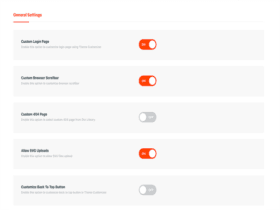
Enhance Divi's capabilities with Divi PixelUnlock the true potential of your Divi site with Divi Pixel, an advanced plugin designed exclusively for Divi by Elegant Themes. Discover a land of extensive customization with tons of settings and over 50 dynamic… Show more (+)
Enhance Divi's capabilities with Divi PixelUnlock the true potential of your Divi site with Divi Pixel, an advanced plugin designed exclusively for Divi by Elegant Themes. Discover a land of extensive customization with tons of settings and over 50 dynamic Divi Builder modules. Elevate your website's capabilities and offer an unrivaled user experience.Key Features:Intuitive interface: Elegant user interface allows you to easily switch between plugin options. Once activated, refine these settings in the Divi Pixel Theme Customizer.Improved customization module: Experience the improved theme customizer with added custom tabs for a seamless process of configuring all your unique plugin settings.Modular Magic: With over 50 custom modules, each offering countless customization options, your Divi site will stand out.Why Divi Pixel stands outDivi Pixel isn’t just another plugin; it’s a pursuit of excellence. Built with performance in mind, it’s aligned with the highest standards of WordPress development. Not only is it lightweight and provides blazing-fast site speeds, it’s also fully compatible with multisite WordPress network installations. And for those who crave aesthetics, Divi Pixel’s exclusive layout packs offer professionally designed templates to spruce up your site.After activating the plugin, a critical error may appear, in this situation, please open the admin panel again on a new page and the error should no longer occur.Please use any key to activate the plugin. Show less (-)
| |||||||||||||||||||||||||||||||||||||||||||||||||||||||||||||||||||||||||||||||||||||||||||||||||||
 | 3,00 $ | ||||||||||||||||||||||||||||||||||||||||||||||||||||||||||||||||||||||||||||||||||||||||||||||||||
The WooCommerce Google Analytics Pro plugin allows you to integrate your WooCommerce store with Google Analytics.Some features: It allows you to exclude store managers from tracking along with site administratorsTrack user IDsTracks basic e-commerceAdds advanced tracking of e-commerce eventsTrack manually added… Show more (+)
The WooCommerce Google Analytics Pro plugin allows you to integrate your WooCommerce store with Google Analytics.Some features: It allows you to exclude store managers from tracking along with site administratorsTrack user IDsTracks basic e-commerceAdds advanced tracking of e-commerce eventsTrack manually added ordersAdding an event to customer activitiesAdd order returns and track cancellationsTracking the opening of customer emails Show less (-)
| |||||||||||||||||||||||||||||||||||||||||||||||||||||||||||||||||||||||||||||||||||||||||||||||||||
 | 3,00 $ | ||||||||||||||||||||||||||||||||||||||||||||||||||||||||||||||||||||||||||||||||||||||||||||||||||
Add tracking to your store with Pixel Manager Pro for WooCommerceSeamlessly integrate your store with Pixel Manager Pro for WooCommerce with major advertising and analytics platforms such as Google Analytics, Google Ads, Facebook Ads, Microsoft Ads and many others via… Show more (+)
Add tracking to your store with Pixel Manager Pro for WooCommerceSeamlessly integrate your store with Pixel Manager Pro for WooCommerce with major advertising and analytics platforms such as Google Analytics, Google Ads, Facebook Ads, Microsoft Ads and many others via Pixel Manager Pro for WooCommerce.Revolutionize your pixel trackingWith this comprehensive and flexible Pixel Manager Pro for WooCommerce plugin, efficiently collect and analyze key customer behavior data to optimize conversions, targeted remarketing, and detailed reporting. Pixel Manager Pro supports a wide range of pixel providers, including Google Analytics (Universal and GA4), Google Ads Pixel, Meta Pixel (Facebook Pixel), Microsoft Pixel, TikTok Pixel, and many more.Here are some of the unparalleled benefits of using Pixel Manager Pro for WooCommerce:Increase data privacy and ensure compliance with GDPR and other privacy regulations.Enjoy user-friendly operation thanks to its intuitive design.Flexibly adjust your results with customizable filters.Perform more accurate comparisons between different pixel providers with standardized results.Identify and recover lost conversions due to payment gateway redirection issues with the Payment Gateway Accuracy Report and Automatic Conversion Recovery (ACR).Ensure broad browser compatibility with a transpiled and optimized JavaScript library covering over 98% user browsers.For more advanced users, Pixel Manager Pro for WooCommerce offers a range of filters to further customize and optimize for your store's needs. From Meta CAPI (Facebook CAPI) and enhanced e-commerce in Google Analytics to tracking your Google Shopping Cart items, this plugin gives you all the advanced pixel features you need.Why choose Pixel Manager Pro for WooCommerce?Pixel Manager Pro for WooCommerce stands out for its high tracking accuracy, simple user interface and consistent innovation, becoming the leading e-commerce tracking solution. The Payment Gateway Accuracy Report and Automatic Conversion Recovery (ACR) feature are available exclusively in Pixel Manager Pro and solve common payment gateway accuracy issues and lost conversions due to redirects.The plugin integrates seamlessly with multiple pixels, including Google Ads pixels, Google Analytics pixels (Universal and GA4), Meta Ads pixels and more, providing a wide range of features:Augmented conversions and Google Ads conversion customizationsMeta Conversion API (Facebook Conversion API)Improved e-commerce in Google AnalyticsDynamic remarketing on various platformsSupport for multiple cookie consent management systems…and many others.The plugin also offers compatibility with many third-party plugins such as WooCommerce Subscriptions, Woo Discount Rules, and YITH WooCommerce Wishlist, to name a few, making it versatile and adaptable to your specific needs.Browse through the extensive feature list and discover how Pixel Manager Pro can transform the tracking and analytics capabilities of your WooCommerce store. Improve the quality of your e-commerce today! Show less (-)
| |||||||||||||||||||||||||||||||||||||||||||||||||||||||||||||||||||||||||||||||||||||||||||||||||||
 | 3,00 $ | ||||||||||||||||||||||||||||||||||||||||||||||||||||||||||||||||||||||||||||||||||||||||||||||||||
Google Analitycs panel available from the WordPress panel. Presenting statistics in an interesting way and providing all the necessary data makes this product one of the best available of its kind on the market. This is the main Analytify plugin… Show more (+)
Google Analitycs panel available from the WordPress panel. Presenting statistics in an interesting way and providing all the necessary data makes this product one of the best available of its kind on the market. This is the main Analytify plugin. Access to the tabs is obtained through additional plugins. They are available on the website. Show less (-)
| |||||||||||||||||||||||||||||||||||||||||||||||||||||||||||||||||||||||||||||||||||||||||||||||||||
 | 3,00 $ | ||||||||||||||||||||||||||||||||||||||||||||||||||||||||||||||||||||||||||||||||||||||||||||||||||
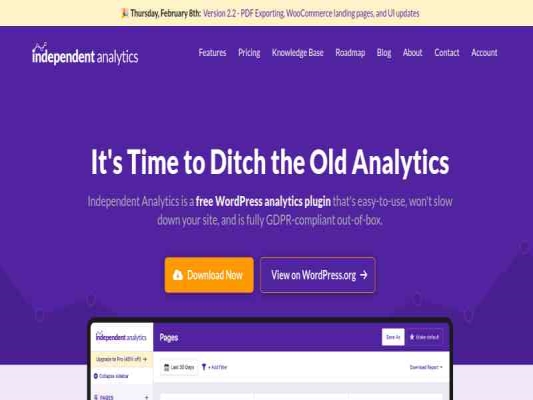
Independent Analytics Pro plug-inIndependent Analytics Pro is a GDPR-compliant website analytics plugin built exclusively for WordPress. Give it a try if you're ready for an alternative to Google Analytics.Main features of Independent Analytics Pro:Analytical panel in the WP admin panelShows… Show more (+)
Independent Analytics Pro plug-inIndependent Analytics Pro is a GDPR-compliant website analytics plugin built exclusively for WordPress. Give it a try if you're ready for an alternative to Google Analytics.Main features of Independent Analytics Pro:Analytical panel in the WP admin panelShows your most popular posts and pagesDisplays the most important traffic sourcesGeodata with an interactive world mapVirtually zero impact on performanceGDPR compliantBeautiful and customizable dashboardIndependent Analytics adds a full-featured analytics panel to the WP admin panel. The analytical panel shows:Quick stats show the total number of views and visitorsThe visual chart shows the traffic on each dayThe data table contains every page that has been visitedYou can also sort and filter data by any column, such as page type, author, publication date, title, and more.The ONLY analytics tool with full WordPress integrationIndependent Analytics is different from Google Analytics and other WordPress analytics plugins.Other tools display a list of URLs and their data. Independent Analytics can show each page's title, page type, author, publication date, categories, and more, all along with metrics such as views and visitors.We call this a page-based analytics tool.No more copying and pasting tracking codesJust install the plugin and tracking will start immediately. You don't have to fiddle with any tracking codes, edit your site's home element, or create an account elsewhere.GDPR compliantIndependent Analytics is GDPR compliant out of the box. Here's what makes it privacy-friendly:Does not use cookiesDoes not store personal dataThe data is created and stored entirely on your serverBecause Independent Analytics uses cookieless tracking, you don't need to add a cookie popup to your site.The most important traffic sourcesFind out where your website visitors are coming from with the Referrer Report. Shows:Any website from which a user visited youAutomatic detection of popular search engines and social networking sitesFilter and sort referrers as you like.By analyzing your traffic, you'll quickly learn which marketing tactics are working and which aren't.Geolocation reportFind out where your guests are using the geolocation panel. Contains the following data for each visitor:ContinentCountryDivision/regionCityLike other reports, you can set a custom date range, sort and filter the results.Data transferAs a WordPress analytics plugin, data is collected and stored entirely on your servers. This means you can:Back up your analytics data every time you back up your siteTransfer your statistics to any domainExport your data to a CSV file whenever you wantUnlike other analytics solutions that use URLs, Independent Analytics Pro tracks pages, so if you move to a new domain, you won't see any difference in your analytics results - URLs will automatically update to match the new domain. Show less (-)
| |||||||||||||||||||||||||||||||||||||||||||||||||||||||||||||||||||||||||||||||||||||||||||||||||||
 | 3,00 $ | ||||||||||||||||||||||||||||||||||||||||||||||||||||||||||||||||||||||||||||||||||||||||||||||||||
Send the statistics to your client from the conducted campaign via e-mail. Want automatic Analytics reports delivered straight to your client's inbox on a weekly or monthly basis? So look no further, this add-on is specially designed for this purpose… Show more (+)
Send the statistics to your client from the conducted campaign via e-mail. Want automatic Analytics reports delivered straight to your client's inbox on a weekly or monthly basis? So look no further, this add-on is specially designed for this purpose. These Analytics reports are in HTML format and render perfectly in almost any email client. Show less (-)
| |||||||||||||||||||||||||||||||||||||||||||||||||||||||||||||||||||||||||||||||||||||||||||||||||||
 | 3,00 $ | ||||||||||||||||||||||||||||||||||||||||||||||||||||||||||||||||||||||||||||||||||||||||||||||||||
A functional Google Analytics plugin for WooCommerce stores that lets you take advantage of some of the most important Universal Analytics features, including Enhanced Ecommerce and User ID Tracking. Additionally, Actionable Google Analytics supports IP anonymization, product refunds, content grouping… Show more (+)
A functional Google Analytics plugin for WooCommerce stores that lets you take advantage of some of the most important Universal Analytics features, including Enhanced Ecommerce and User ID Tracking. Additionally, Actionable Google Analytics supports IP anonymization, product refunds, content grouping, form field tracking, scroll tracking, and 15+ custom dimensions and metrics. With Actionable Google Analytics, you save hours of implementing complex Google Analytics code and focus instead on generating actionable insights from your data. Show less (-)
| |||||||||||||||||||||||||||||||||||||||||||||||||||||||||||||||||||||||||||||||||||||||||||||||||||
 | 3,00 $ | ||||||||||||||||||||||||||||||||||||||||||||||||||||||||||||||||||||||||||||||||||||||||||||||||||
The plugin shows the results from your social media campaigns or backlinks in an attractive way. You are an online retailer, an online store owner or a freelancer. Everyone uses UTM parameters to track their campaigns. The campaigns plugin helps… Show more (+)
The plugin shows the results from your social media campaigns or backlinks in an attractive way. You are an online retailer, an online store owner or a freelancer. Everyone uses UTM parameters to track their campaigns. The campaigns plugin helps you identify the analytics of your WordPress campaigns. You can see all your WordPress campaigns at once. Show less (-)
| |||||||||||||||||||||||||||||||||||||||||||||||||||||||||||||||||||||||||||||||||||||||||||||||||||
 | 3,00 $ | ||||||||||||||||||||||||||||||||||||||||||||||||||||||||||||||||||||||||||||||||||||||||||||||||||
The plugin shows the results of your Analytics goals on the page in a beautiful way. You are an online retailer, an online store owner or a freelancer. Everyone uses Google Analytics goals to track their conversions. The goals plugin… Show more (+)
The plugin shows the results of your Analytics goals on the page in a beautiful way. You are an online retailer, an online store owner or a freelancer. Everyone uses Google Analytics goals to track their conversions. The goals plugin helps you identify your WordPress goal analytics. Sure, you can. You can see all your WordPress goal stats in one place. We recommend creating goals in Google Analytics → Admin, select your website profile. Set any goals you want to create and present them (to your customers) on your WordPress site using the plugin. Show less (-)
| |||||||||||||||||||||||||||||||||||||||||||||||||||||||||||||||||||||||||||||||||||||||||||||||||||
 | 3,00 $ | ||||||||||||||||||||||||||||||||||||||||||||||||||||||||||||||||||||||||||||||||||||||||||||||||||
The plugin allows you to track how donations are made on the websitePlug-in requires the main and activated Give plug-in to work | |||||||||||||||||||||||||||||||||||||||||||||||||||||||||||||||||||||||||||||||||||||||||||||||||||
 | 3,00 $ | ||||||||||||||||||||||||||||||||||||||||||||||||||||||||||||||||||||||||||||||||||||||||||||||||||
AnalyticsWP – #1 Analytics Plugin for WordPressAnalyticsWP is the leading analytics plugin for WordPress that delivers valuable insights with ease. Out-of-the-box compatible with any WordPress site, it changes the way you understand your visitors and their actions.Clear insight into visitor… Show more (+)
AnalyticsWP – #1 Analytics Plugin for WordPressAnalyticsWP is the leading analytics plugin for WordPress that delivers valuable insights with ease. Out-of-the-box compatible with any WordPress site, it changes the way you understand your visitors and their actions.Clear insight into visitor behaviorGet simple, at-a-glance insights into who's visiting your site and what they're doing, all in one place.Light and efficientBuilt with performance in mind, AnalyticsWP runs smoothly without impacting your site's speed or causing unnecessary bloat.Safe and privateYour data remains entirely on your site, ensuring complete privacy and security without being shared with external servers.Precise trackingAnalyticsWP uses advanced first-page tracking technology, making it immune to ad blockers and ensuring complete accuracy of your website analytics.Follow user travelsEasily monitor user journeys, gaining valuable insights into the actual paths visitors take to reach and explore your website or online store.Designed exclusively for WordPressFully integrated with WordPress, AnalyticsWP works seamlessly out of the box. We focus solely on WordPress to ensure perfect compatibility.WooCommerce integrationIf you use WooCommerce, AnalyticsWP will automatically enhance your analytics with detailed information, including full customer journey tracking. Show less (-)
| |||||||||||||||||||||||||||||||||||||||||||||||||||||||||||||||||||||||||||||||||||||||||||||||||||
 | 3,00 $ | ||||||||||||||||||||||||||||||||||||||||||||||||||||||||||||||||||||||||||||||||||||||||||||||||||
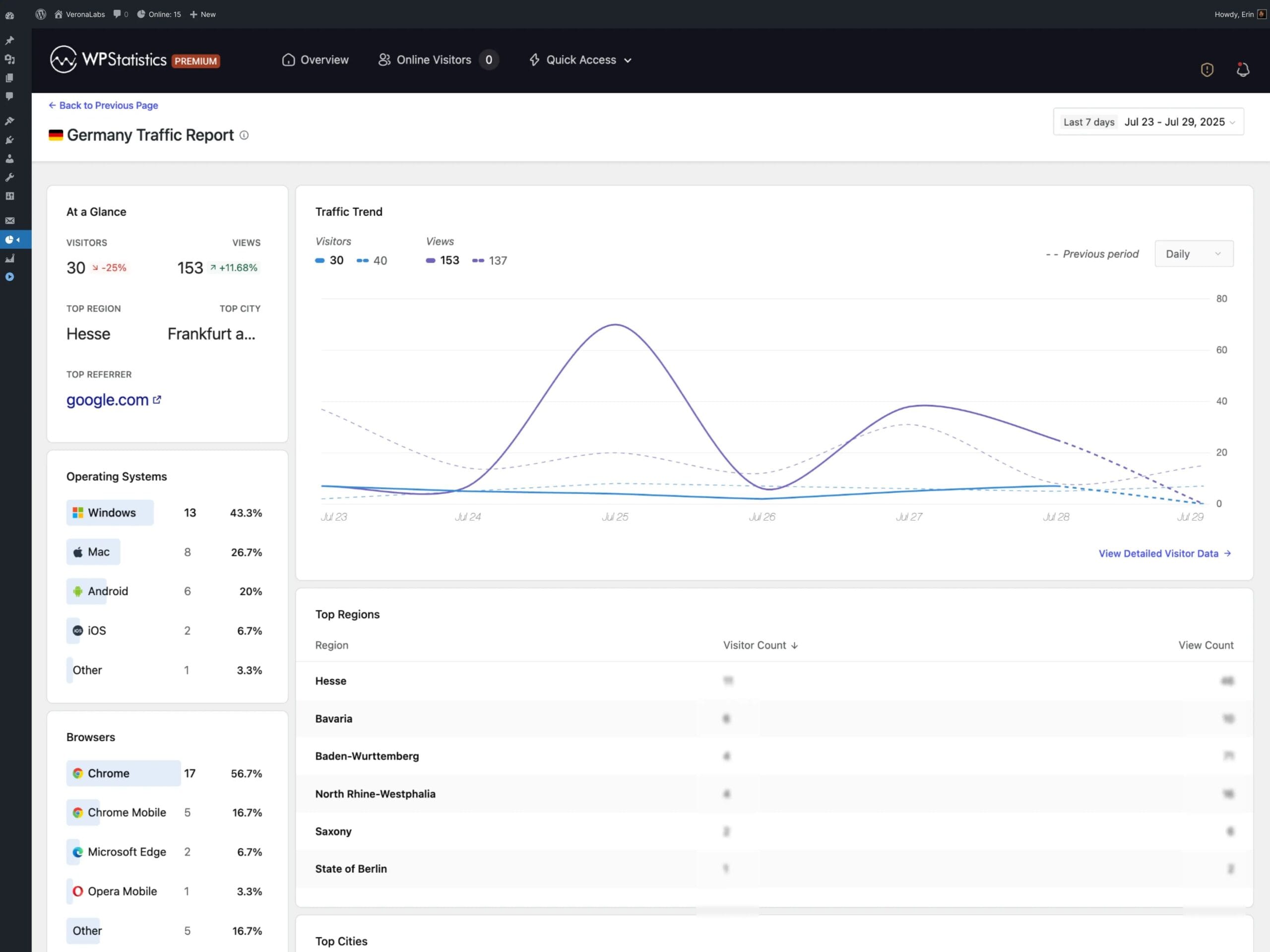
WP Statistics Mini Chart: a quick look at key metricsWP Statistics Mini Chart is a premium add-on for the WP Statistics plugin that lets you quickly check traffic trends without diving into extensive reports. Compact charts in the WordPress dashboard… Show more (+)
WP Statistics Mini Chart: a quick look at key metricsWP Statistics Mini Chart is a premium add-on for the WP Statistics plugin that lets you quickly check traffic trends without diving into extensive reports. Compact charts in the WordPress dashboard provide a clear picture of visits and key metrics, with an emphasis on readability, speed, and decisions made in real time. This way, an editor, marketer, or site owner can instantly see whether traffic is growing, which days drive pageviews, and how campaigns affect content engagement.The Mini Chart extension for WP Statistics relies on proven local data stored in WordPress, which strengthens measurement consistency and eliminates the risk of errors caused by external scripts. In practice, this means simple, reliable trend observation: from daily overviews, through weekly fluctuations, to longer time windows useful for planning content and promotional activities.Key use cases in everyday analyticsWP Statistics Mini Chart works especially well when you need a quick answer to a simple question: is it going up or down? This very context determines the value of the add-on in day-to-day content and campaign management. Below are example use cases that make it easier to act in line with the people-first principle: user needs first, tools second. Assessing the impact of publishing a post or sending a newsletter. Comparing consecutive days and detecting traffic anomalies. Supporting decisions on further content distribution. Monitoring the impact of advertising campaigns. Early detection of sudden traffic drops. Quick trend visualization without full reports.These use cases translate into real time savings. Instead of browsing multi-page analyses, the user gets a handy summary of the direction of change. WP Statistics Mini Chart thus supports not only analytics but above all daily operations: publications, campaigns, and maintaining traffic quality.Features and parameters: what WP Statistics Mini Chart offersThe Mini Chart add-on for WP Statistics was designed to maintain a balance between simplicity and flexibility. The charts are lightweight, readable, and adapt to the admin panel, making them useful regardless of screen size. The list below gathers the key elements that SEO and content marketing practitioners pay attention to. Compact charts presenting key traffic metrics. Switchable time ranges for daily, weekly, and long-term analysis. Display of WP Statistics data: visits, pageviews, and unique visitors. A WordPress dashboard widget with instant access to statistics. Interactive tooltips with exact values on the chart. Analysis based exclusively on local data, without external scripts. Lightweight design that does not burden the admin panel.Combined together, these features create an intuitive environment for quickly assessing traffic health. For business websites, blogs, and WooCommerce stores, this means more efficient work and faster responses: from adjusting a post title to modifying campaigns.Better decisions through practical trend interpretationIn daily work, what matters is interpreting signals, not just reading them. If the chart clearly climbs after publishing content, it is worth boosting its distribution and exploring similar topics. A stable, slightly rising trend usually means the strategy is working and requires consistent continuation. Drops are best compared against the activity calendar: did a campaign end, were technical changes made, or did indexing errors appear? This approach to working with trends makes WP Statistics Mini Chart a real decision-making tool, not just a dashboard decoration.Why choose WP Statistics Mini Chart for daily monitoringData transparency, simplicity of form, and focus on what matters most: these are the three pillars that make this add-on a great fit for a modern approach to analytics. Reliance on local data strengthens measurement reliability, while the compact form shortens the path from information to action. It is a solution that makes it easier to maintain a publication schedule, optimize SEO, and track advertising campaigns without distraction. Instant insight into traffic dynamics without browsing extensive reports. Measurement confidence thanks to the use of local WP Statistics data. Faster operational decisions regarding content and SEO optimization. Effective tracking of advertising campaigns based on current trends. Time savings during daily site performance monitoring.In summary, WP Statistics Mini Chart provides a practical, visual shortcut to the most important traffic information. It is the Mini Chart add-on for WP Statistics that genuinely helps with daily work on content and site visibility. Thanks to it, the WordPress dashboard becomes a place not only for management but also for informed, data-driven decision-making. Show less (-)
| |||||||||||||||||||||||||||||||||||||||||||||||||||||||||||||||||||||||||||||||||||||||||||||||||||
Add selected () for 0,00 $
Add selected () for 0,00 $
Add selected to cart
Select all
Clear selection