
Showing the single result
Show 1 – 1 from 1 found
Show all 1 found
Show one found
No items found
Categories
Sort by Popularity
On sale
Download CSV
15 per page
Add selected () for 0,00 $
Add selected () for 0,00 $
Add selected to cart
Select all
Clear selection
Filters
Sort
Reset
Apply
Name | Price | Add to cart | Delete | ||||||||||||||||||||||||||||||||||||||||||||||||||||||||||||||||||||||||||||||||||||||||||||||||
|---|---|---|---|---|---|---|---|---|---|---|---|---|---|---|---|---|---|---|---|---|---|---|---|---|---|---|---|---|---|---|---|---|---|---|---|---|---|---|---|---|---|---|---|---|---|---|---|---|---|---|---|---|---|---|---|---|---|---|---|---|---|---|---|---|---|---|---|---|---|---|---|---|---|---|---|---|---|---|---|---|---|---|---|---|---|---|---|---|---|---|---|---|---|---|---|---|---|---|---|
 | 3,00 $ | ||||||||||||||||||||||||||||||||||||||||||||||||||||||||||||||||||||||||||||||||||||||||||||||||||
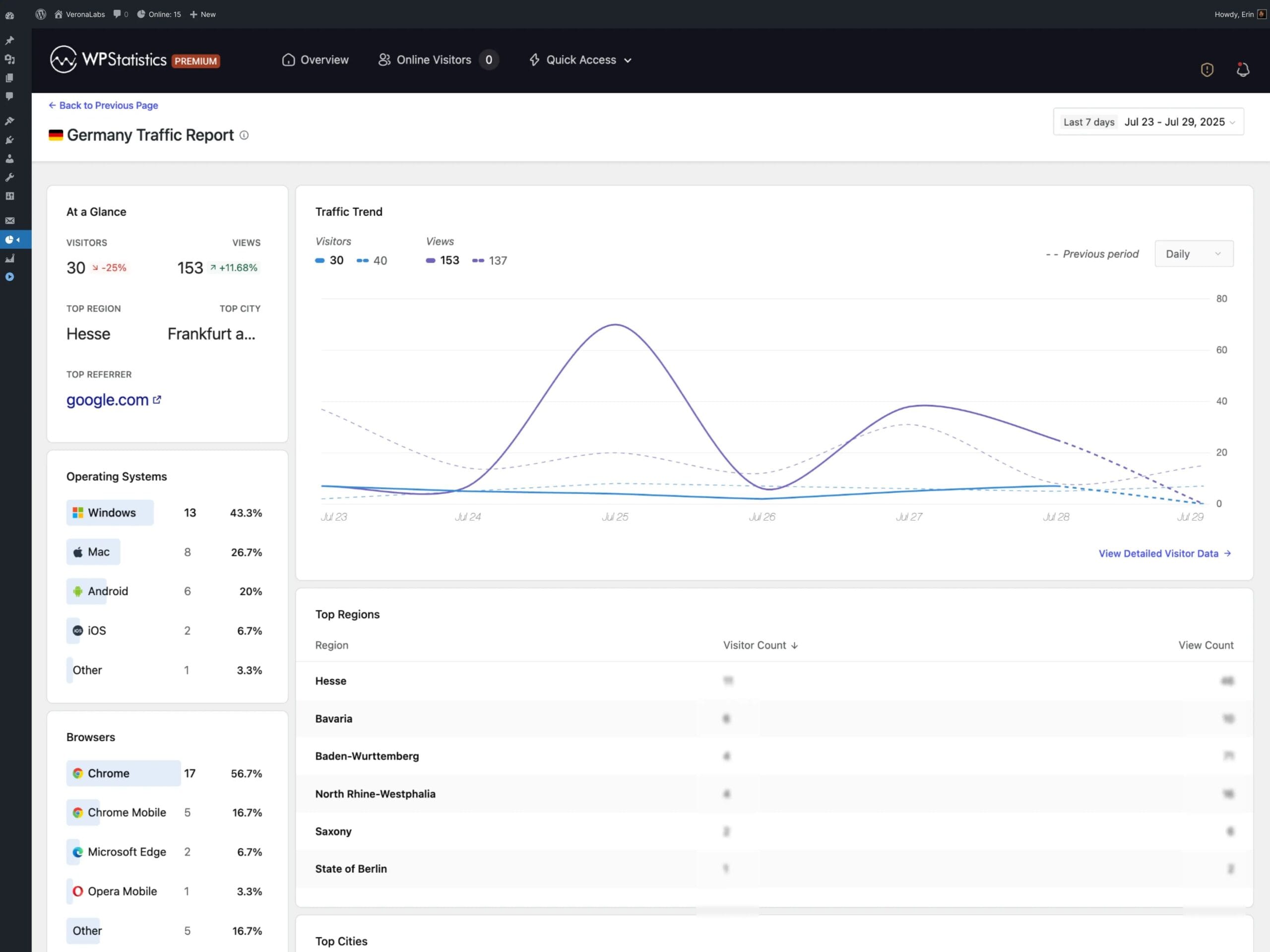
WP Statistics Mini Chart: a quick look at key metricsWP Statistics Mini Chart is a premium add-on for the WP Statistics plugin that lets you quickly check traffic trends without diving into extensive reports. Compact charts in the WordPress dashboard… Show more (+)
WP Statistics Mini Chart: a quick look at key metricsWP Statistics Mini Chart is a premium add-on for the WP Statistics plugin that lets you quickly check traffic trends without diving into extensive reports. Compact charts in the WordPress dashboard provide a clear picture of visits and key metrics, with an emphasis on readability, speed, and decisions made in real time. This way, an editor, marketer, or site owner can instantly see whether traffic is growing, which days drive pageviews, and how campaigns affect content engagement.The Mini Chart extension for WP Statistics relies on proven local data stored in WordPress, which strengthens measurement consistency and eliminates the risk of errors caused by external scripts. In practice, this means simple, reliable trend observation: from daily overviews, through weekly fluctuations, to longer time windows useful for planning content and promotional activities.Key use cases in everyday analyticsWP Statistics Mini Chart works especially well when you need a quick answer to a simple question: is it going up or down? This very context determines the value of the add-on in day-to-day content and campaign management. Below are example use cases that make it easier to act in line with the people-first principle: user needs first, tools second. Assessing the impact of publishing a post or sending a newsletter. Comparing consecutive days and detecting traffic anomalies. Supporting decisions on further content distribution. Monitoring the impact of advertising campaigns. Early detection of sudden traffic drops. Quick trend visualization without full reports.These use cases translate into real time savings. Instead of browsing multi-page analyses, the user gets a handy summary of the direction of change. WP Statistics Mini Chart thus supports not only analytics but above all daily operations: publications, campaigns, and maintaining traffic quality.Features and parameters: what WP Statistics Mini Chart offersThe Mini Chart add-on for WP Statistics was designed to maintain a balance between simplicity and flexibility. The charts are lightweight, readable, and adapt to the admin panel, making them useful regardless of screen size. The list below gathers the key elements that SEO and content marketing practitioners pay attention to. Compact charts presenting key traffic metrics. Switchable time ranges for daily, weekly, and long-term analysis. Display of WP Statistics data: visits, pageviews, and unique visitors. A WordPress dashboard widget with instant access to statistics. Interactive tooltips with exact values on the chart. Analysis based exclusively on local data, without external scripts. Lightweight design that does not burden the admin panel.Combined together, these features create an intuitive environment for quickly assessing traffic health. For business websites, blogs, and WooCommerce stores, this means more efficient work and faster responses: from adjusting a post title to modifying campaigns.Better decisions through practical trend interpretationIn daily work, what matters is interpreting signals, not just reading them. If the chart clearly climbs after publishing content, it is worth boosting its distribution and exploring similar topics. A stable, slightly rising trend usually means the strategy is working and requires consistent continuation. Drops are best compared against the activity calendar: did a campaign end, were technical changes made, or did indexing errors appear? This approach to working with trends makes WP Statistics Mini Chart a real decision-making tool, not just a dashboard decoration.Why choose WP Statistics Mini Chart for daily monitoringData transparency, simplicity of form, and focus on what matters most: these are the three pillars that make this add-on a great fit for a modern approach to analytics. Reliance on local data strengthens measurement reliability, while the compact form shortens the path from information to action. It is a solution that makes it easier to maintain a publication schedule, optimize SEO, and track advertising campaigns without distraction. Instant insight into traffic dynamics without browsing extensive reports. Measurement confidence thanks to the use of local WP Statistics data. Faster operational decisions regarding content and SEO optimization. Effective tracking of advertising campaigns based on current trends. Time savings during daily site performance monitoring.In summary, WP Statistics Mini Chart provides a practical, visual shortcut to the most important traffic information. It is the Mini Chart add-on for WP Statistics that genuinely helps with daily work on content and site visibility. Thanks to it, the WordPress dashboard becomes a place not only for management but also for informed, data-driven decision-making. Show less (-)
| |||||||||||||||||||||||||||||||||||||||||||||||||||||||||||||||||||||||||||||||||||||||||||||||||||
Add selected () for 0,00 $
Add selected () for 0,00 $
Add selected to cart
Select all
Clear selection